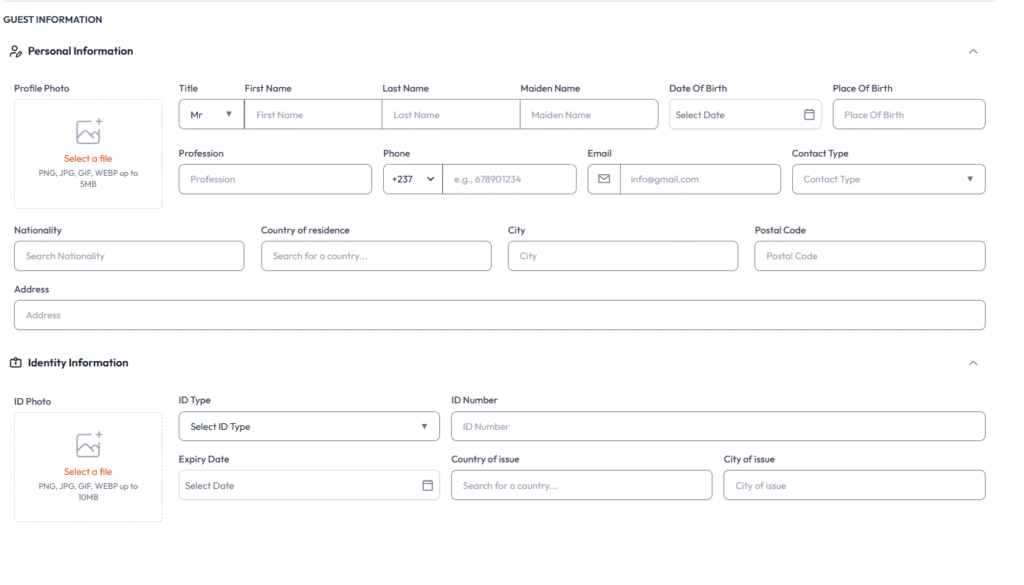
Your guide to booking a stay with us, step by step.
1
Search for Your Destination
Start by entering your desired city, hotel name, or landmark in the search bar on our homepage. Select your check-in and check-out dates, and specify the number of guests.
2
Search for Your Destination
Start by entering your desired city, hotel name, or landmark in the search bar on our homepage. Select your check-in and check-out dates, and specify the number of guests.
3
Search for Your Destination
Start by entering your desired city, hotel name, or landmark in the search bar on our homepage. Select your check-in and check-out dates, and specify the number of guests.
4
Search for Your Destination
Start by entering your desired city, hotel name, or landmark in the search bar on our homepage. Select your check-in and check-out dates, and specify the number of guests.
5
Search for Your Destination
Start by entering your desired city, hotel name, or landmark in the search bar on our homepage. Select your check-in and check-out dates, and specify the number of guests.
6
Search for Your Destination
Start by entering your desired city, hotel name, or landmark in the search bar on our homepage. Select your check-in and check-out dates, and specify the number of guests.